
Scheduling
The week for every caregiver and client on one screen.
- Assign and change visits
- Time-off requests and approval
- Shift notices to caregivers
- Caregiver workload report
- Daily list of what needs attention
Software for home care agencies
LumiiCare notices when a caregiver has not clocked in for a visit and tells your coordinator while there is still time to phone, send cover and let the family know. The same system runs your schedule, timesheets, payroll and invoices.

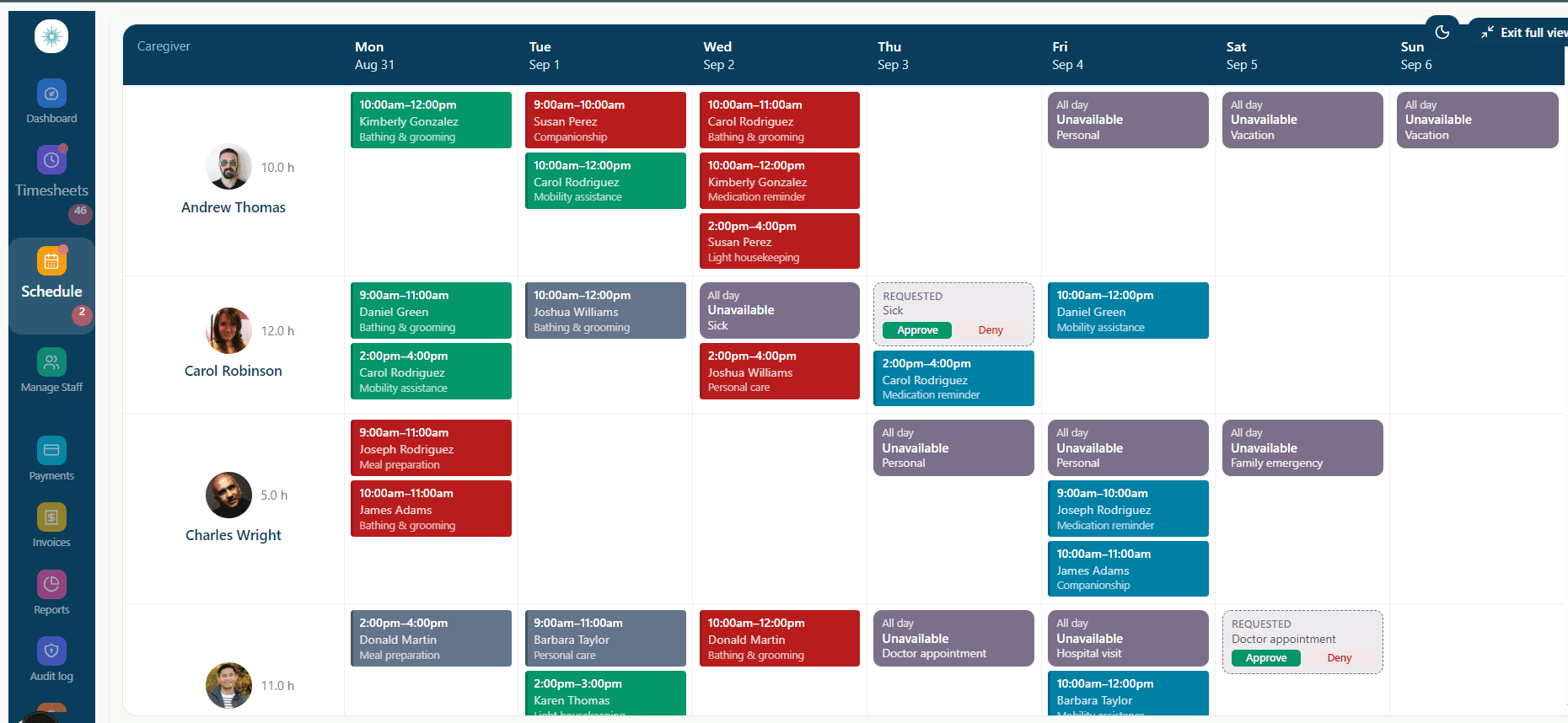
The schedule, clock-ins on the caregiver's phone, and timesheets ready to approve.
Approved hours become payroll figures and client invoices, without retyping.
LumiiCare spots the visit nobody has turned up to and tells the right person.


Missed visits
Many agencies find out a visit was missed when a daughter phones the office, or at the end of the week when the timesheet has a gap in it. By then nobody can put it right.
LumiiCare compares every scheduled visit with the clock-ins as the day goes on, and speaks up when one is missing.
One morning visit
The schedule says it has started. Nobody has clocked in.
A notification on their phone, and an email.
Still no clock-in, so your coordinator is told which client is waiting and who was due.
A phone call, a replacement, a word with the family. The alert stays in the audit log.
For the office
One system for the people who run the agency, so the hours a caregiver works are entered once and used everywhere.
The week for every caregiver and client on one screen.

Caregivers clock in and out on their own phone.

Timesheets built from the clock-ins, ready to approve.

Bill for the care that was delivered, and prove it.
For caregivers
The visit is the job. The paperwork should take a few seconds at the door and a few more on the way out.
LumiiCare opens from a link and can be saved to the phone's home screen.
Clock-in and clock-out capture when and where, for your visit verification records.
A clock-in made offline is kept on the phone and sent when it reconnects.
A notification and an email when a shift is assigned, changed or cancelled.

Lumii, the assistant
Lumii is the assistant built into LumiiCare. It reads your agency's own records and answers in plain language, so a coordinator starts the day with a list instead of a hunt.
Lumii does not change your data by itself. It shows you what needs doing and acts only when you confirm.
Questions agencies ask
No. They open a link in their phone's browser and sign in. They can add it to their home screen so it behaves like an app.
No. Lumii reads your records and tells you what it finds. Anything that changes a record needs a person to confirm it.
LumiiCare prepares the figures: approved hours, overtime and gross pay for each caregiver. You pay your staff through your usual payroll provider.
Yes. LumiiCare is HIPAA compliant. Each person sees only what their role allows, changes are recorded in an audit log, and data is encrypted on its way between your devices and our servers.
Yes. LumiiCare records what EVV asks for on every visit: the caregiver, the client, the service, the date, the location, and the clock-in and clock-out times. It does not yet send visits to a state EVV system automatically, so you report from the EVV records LumiiCare keeps.
Yes. We help you bring your existing clients and caregivers into LumiiCare when you start, so you are not setting up from an empty screen.

That is what the chasing costs today: coordinators × hourly cost × hours a week × 4.33 weeks. It is your figure, not ours.

Ringing round for timesheets. Checking who actually turned up. Fixing hours after payroll has gone out.
Book a demo
Tell us how many caregivers you have and we will walk you through a week in LumiiCare: the schedule, a missed visit, the timesheets and the invoices.
Fill this in and we will be in touch. Only your name and email are required.